The washing machine ETA is a lie.
Everyone agrees, nobody has solutions. No, a washing machine that needs WiFi to do its work is not a solution, just a larger collection of points of failure.
I wanted something that works with any basic, repairable washing machine, and doesn’t void the warranty. So, attaching to traces on the PCB wasn’t an option.
In the end, the computer vision route worked pretty well until the ESPCam I used for it died. That’s why this is a post mortem.
If you haven’t yourself washed clothes with a washing machine that displays the ETA on a digital segment display: The time is always off - it almost always takes longer than displayed at the beginning. On some machines, the ETA can even go back up while the program is running. You end up either showing up once or twice too early, or risk your laundry starting to smell weird from lying around too long in a wet state.
The plan🔗
I want to be notified when the washing machine is done and, ideally, become better at estimating the true runtime, so I need to be able to tell how much time is left, and when it’s actually done.
To do so non-invasively, read the washing machine display with a camera, decipher the display contents with computer vision, and perform actions based on the observed result.
The hardware🔗
Instad of shelling out tens of Euros for a proper bulky IP camera, I picked an ESP32-CAM module out of my parts box: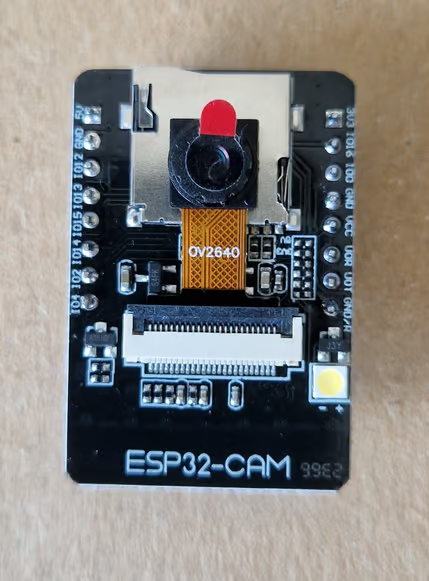
For the proof of concept, I taped it to some chopsticks that were themselves taped to the washing machine and held in place with a cleaning bucket to keep the camera at a good distance from the display: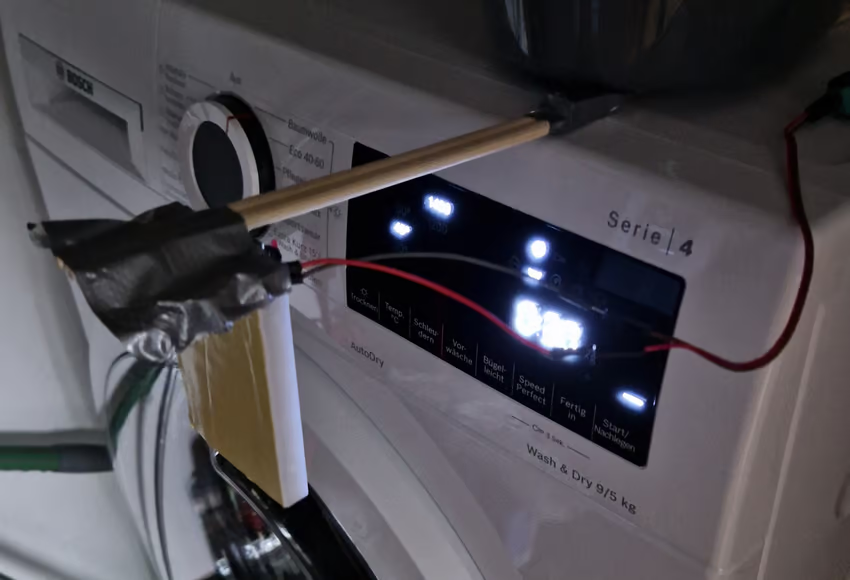
I have a soft spot for improvised solutions that are robust enough to stick around, but this wasn’t one of them, so I designed a mounting bracket with magnets that kept the camera at this precise position more reliably. We’ll see in a bit why it’s important that the camera doesn’t move around too much.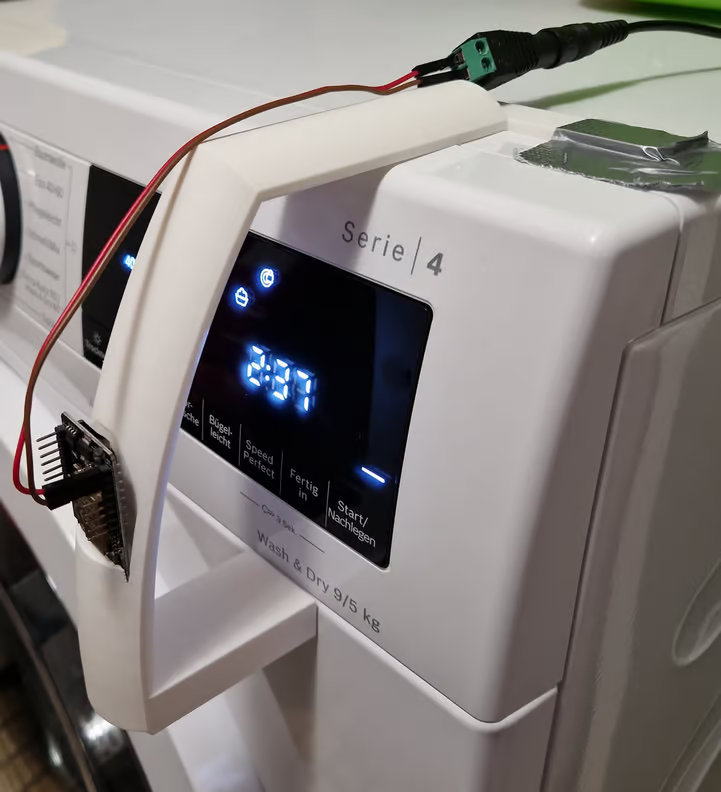
There were some plans to solve cabling better and redesign some details so I wouldn’t need a bit of tape in addition to the magnets, but that solution was good enough, so it stuck around for the entire lifetime of the project.
The software🔗
The hardware establishes our ability to record video (or snapshots) of the washing machine display.
Feeling extra-lazy and inclined towards a low maintenance solution, I flashed the ESP32-CAM with a ready-made firmware by GitHub user rzeldent that exposes RTSP and MJPEG streams over WiFi on the network.
I could have rolled my own computer vision, but Home Assistant has seven segment display OCR built-in. Home Assistant also has tools for notification I’m already using, and is already set up to forward metrics to VictoriaMetrics, so I can avoid building redundant stuff by centering it all around Home Assistant.
To get the camera into Home Assistant, I added an MJPEG IP Camera entity in the web UI with /stream as the MJPEG URL, and /snapshot as the still image URL, making the entity camera.wash_cam available.
Optical character recognition (OCR)🔗
Reading the seven segment display is a bit trickier, because the underlying OCR tool is sensitive to distortions caused by perspective and visual artifacts. I ended up running the OCR tool locally with snapshots from the camera and debugging enable to fine-tune all the parameters until the digits were detected reliably.
OCR configuration in Home Assistant with all the fine-tuned parameters filled in looks like this:
image_processing:
  - platform: seven_segments
    source:
      - entity_id: camera.wash_cam
    rotate: 4
    digits: 4
    x_position: 72
    y_position: 227
    width: 800
    height: 800
    extra_arguments: --min-segment=9 --charset=0123456789 --iter-threshold --omit-decimal-point --foreground=white --background=black
Finding good settings would have been even harder if the environment had variable lighting, but fortunately the appliance sits in a dark closet with little variation in lighting.
Transforming digits to time🔗
This configuration gives us a new entity called image_processing.sevensegments_ocr_wash_cam that contains a string of characters limited to the specified charset. Next, we convert this to a temporal value, so it displays nicely and we can visualize this like a proper ETA:
template:
  - sensor:
    - unit_of_measurement: minutes
      default_entity_id: sensor.wash_eta
      name: Washing Machine ETA
      state: >-
        {% set value = states('image_processing.sevensegments_ocr_wash_cam') %}
        {% if value is not none and value | length == 4 %}
          {% set hours = value[0:1] | int %}
          {% set minutes = value[2:4] | int %}
          {{ hours * 60 + minutes }}
        {% else %}
          none
        {% endif %}
Wait a minute: We’re parsing 4 digit values, use the first as hour, and the last two as minutes. What’s the second character?
It’s the colon that separates hours and minutes, which the OCR tool couldn’t detect as such, so it always ended up being a 1 that is safe to ignore.
Now, the last missing building block is notification.
Notification🔗
That should be easy, right? Just create an automation that sends a message to a recipient when entity sensor.wash_eta hits zero, right?
That would work if the washing machine displayed 0:00 when it’s done, but it displays E:nd (conveniently easy to draw with a seven segment display). To work around that, I made the notification condition sensor.wash_eta < 2 minutes for one minute.
That works, because the last minute on this washing machine reliably lasts for almost two minutes. It wouldn’t have worked on its predecessor, which was notorious for the last minute lasting for anything between 30 seconds and more than 10 real-world minutes.
Now we have nice, timely notification:
Plus an ETA widget in the Home Assistant Dashboard: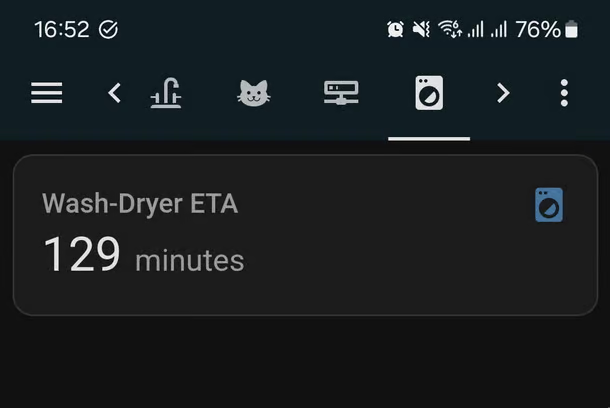
This worked well for many months.
Secrets washing machines don’t want us to know🔗
During the lifetime of the gadget, I collected many washing machine runs’ ETAs, allowing me to observe washing machine’s concept of time. They all looked something like this:
The chart shows “minutes left”, so the staircase pattern makes sense. However, two minutes are shorter than the typical minute, and 3 minutes are much longer than the typical minute.
I don’t possess the patience to sit a program out to find out which points in the program correlate to these abnormal minutes, but I highly expect those to be points at which the appliance makes sensor-based choices, like pumping more water to satisfy a greater load, or spinning more to the rid of that last bit of moisture.
Cause of death🔗
This is a post mortem, and we have now arrived at the mors.
At some point a few weeks ago, the camera stopped working, and resetting it didn’t bring it back like it did on previous such occurrences. No flashing LED, no WiFi connection, no UART output.
I suspected it got damaged a bit too much from being hit a couple of times when emptying the washing machine (it was a bit in the way, admittedly). So, I ended up ripping everything off the appliance so the broken thing no longer gets in the way.
While writing this, I decided to take a look once more, probe a little with the multimeter, to find out more, and surprisingly, it started up again and served an image stream!
The picture has lots of artifacts in it and the colors change wildly, so OCR is going to have a tough time. All the damage from getting hit with laundry baskets has definitely taken a toll, and made the camera unable to deliver a stable image.
It’s still really weird that it came back now, although it seemed completely dead back then.
Successor🔗
Although the old solution is technically working again (somewhat), I had it believed dead for a long time, so I eventually came up with a replacement.
Since the original project, I had started outfitting various power-hungry things with local-only smart plus that have power measuring capabilities to get a handle on how I use household power. The washing machine’s idle power use is below 5 Watt, so I set up an automation to notify me when it has dropped below 5 Watt for one minute.
This took me hours less to set up compared to the original solution and it fulfills the central requirement of notifying me when I need to fetch the laundry. It doesn’t give me insights into how the ETA changes over time, but I already collected my data and drew conclusions from it, so that’s fine. In the end, simplicity won again.
Lessons learned🔗
If I were to do it all over, I’d still prefer a solution that gives me live ETA information over one that only notifies, and I’d still try to keep the warranty intact using a non-invasive approach.
So, the camera needs to be protected better, and moved out of the way as much as possible, e.g. using optics with a shorter focal length that can be mounted closer to the appliance.
There are probably also better ways to approach OCR. The ESP32 should be easily powerful enough to handle this on-device, so a custom firmware could do a way with image streaming complexity, and only send the processed digit reading to Home Assistant.