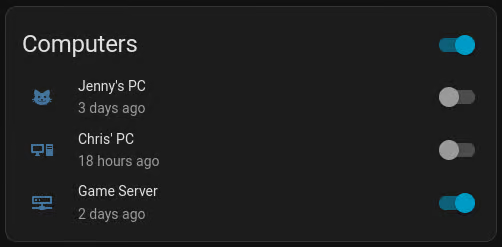
I begrudgingly tolerate some Windows machines on my network, because some games’ anti cheat malsoftware consider virtual environments cheating. While VMs do make it easier to manipulate the state of a video game to one’s advantage, it’s annoying.
Balancing between power saving and convenience, I want these machines up as quickly as possible when I need them, so I keep them in sleep and wake them up with Wake-on-LAN. Putting them back to sleep via remote desktop is mightily annoying, so I searched for remedies.
The goal🔗
Wake up Windows machines and put them back to sleep, conveniently from Home Assistant.
Thinking out loud, we need a switch entity that does Wake-on-LAN when turning on, and does some sort of remote management operation to suspend Windows when turning off.
Building blocks: Wake-on-LAN🔗
This is available out of the box, requiring file-based configuration:
switch:
  - platform: wake_on_lan
    name: <PC name>
    mac: <PC MAC address>
    host: <PC IP address, used for telling if the entity is on>
    broadcast_address: <network's broadcast address>
The host could be omitted, but then Home Assistant would track the entity state internally, which could drift out of state with reality.
Building blocks: Suspend as a service🔗
After some digging, I discovered remote-shutdown-pc by Viktar Karpach, which allows performing a preconfigured action like shutdown (or suspend) when receiving a special HTTP request containing a “secret”.
This service uses HTTP transport, so it is by no means secure. I use this exclusively on machines that never leave my home network, and even if someone intercepted traffic, worst they could do would be pausing my gaming session. So, secure enough for my needs.
The complementary Home Assistant command looks like this:
shell_command:
  turn_off_<PC name>: curl http://<PC IP address>:5001/<secret>/suspend
Putting it together🔗
Now we have separate entities for turning the PC on via Wake-on-LAN, and for turning it off via service. You can set up a switching widget to use separate entities for these actions, but it’s more convenient than that - just add some more configuration to our Wake-on-LAN switch entity:
    turn_off:
      action: shell_command.turn_off_<PC name>